Finger drumming on the M-VAVE SMC-PAD
The M-VAVE SMC-PAD is a budget, compact 16-pad MIDI controller that runs on battery and connects over Bluetooth or USB-C. It has no sounds of its own, so you pair it with a drum app or DAW — and it is one of the cheapest ways to start finger drumming on real pads.
By  Re: TUNES · Updated
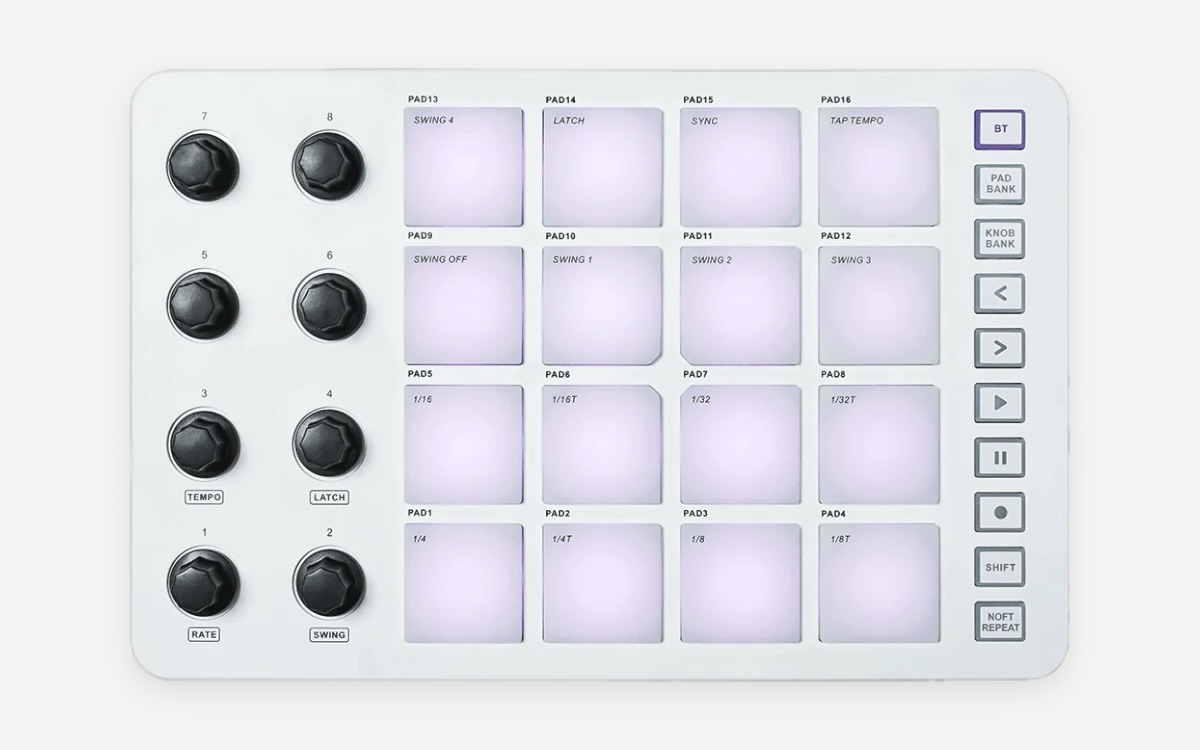
M-VAVE SMC-PAD at a glance
| Pads | 16 RGB, velocity-sensitive, with aftertouch, in a 4×4 grid |
|---|---|
| Controls | 8 assignable endless encoders |
| Type | MIDI controller — needs a drum app or DAW for sound |
| Connections | Bluetooth (BLE) MIDI and USB-C MIDI |
| Power | Built-in 2000 mAh rechargeable battery |
| Size | 227 mm wide |
| Software | MidiSuite editor (Windows, macOS), CubeSuite app (iOS, Android) |
Watch it played
Is the M-VAVE SMC-PAD good for finger drumming?
- Very low price for 16 velocity-sensitive pads — a low-risk first controller.
- Wireless and battery-powered: practise with a phone or tablet drum app anywhere.
- A 4×4 grid numbered PAD1–PAD16 from the bottom-left — the same numbering as fingerdrum.io — so every pattern and layout applies directly.
Things to watch
- Bluetooth MIDI adds a little latency. For tight timing practice, plug in USB-C.
- Check which note each pad sends in your drum app or DAW and map your kit to match before you start.
- If soft taps don’t come through, adjust the velocity curve in your drum software so ghost notes are playable.
Set up the M-VAVE SMC-PAD to practise with fingerdrum.io
- Connect the pad with USB-C (lowest latency) or pair it over Bluetooth MIDI.
- Open a drum app or DAW drum rack and check which drum each pad triggers; rearrange the kit into the layout you want to learn.
- Set the same layout on the Pads page here so the pad view matches your SMC-PAD.
- Tap softly and firmly: you should hear a clear difference in volume. Adjust the velocity curve if not.
- Open a level-1 pattern, slow it down to 60–70 % and play along, following the finger labels.
Recommended pad layout
Start with the Standard 4×4 — kick and snares on the bottom row, hats above them — or, if you want to play like a drummer, the hand-isolation layout with kick and snare under one hand and the hats under the other. Read the pad layout guide for how to choose.
Patterns to start with on the M-VAVE SMC-PAD
- Floor One — a first four-on-the-floor house groove.
- First Trap — half-time trap with simple hat patterns.
- Warmup Ladder — a finger warm-up to build speed and evenness.
Questions
Is the M-VAVE SMC-PAD good for finger drumming?
For a first controller, yes: 16 velocity-sensitive pads in a 4×4 grid at a very low price. Use USB-C rather than Bluetooth when timing matters, and tune the velocity curve so soft notes play.
Does fingerdrum.io work with the M-VAVE SMC-PAD?
fingerdrum.io doesn’t receive MIDI from your controller yet. Open a pattern, set your layout on the Pads page so the pad view matches your hardware, and play along on your own sounds while the site plays the groove and shows which pad and finger comes next. Slow it down and loop the bars you’re working on.
Does Bluetooth add latency?
Bluetooth MIDI usually adds a small delay compared with a cable. It is fine for sketching beats; for timing practice, connect with USB-C.
Other controller guides
- Finger drumming on the Akai MPC Sample
- Finger drumming on the Akai MPC Live III
- Finger drumming on the Native Instruments Maschine
Sources
Specs and prices as published at launch; checked 2026-09-28.